When Error Occurred
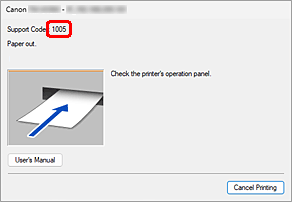
If an error occurs while printing, for example, if the paper runs out or jams, a troubleshooting message is displayed automatically. For some errors, a support code (error number) is also displayed.
Take the appropriate action described in the message.
A support code is displayed
For action to take when a support code is displayed on your PC, see "List of Support Code for Error".
You can also check the support code from the Remote UI.
When a Support Code and a Message are displayed on the Computer Screen (Windows):
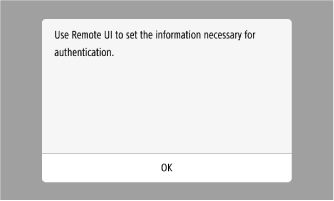
A message is displayed on the Home screen
For how to resolve an issue when a message is displayed on the Home screen, see "List of Error Messages".
Example of message displayed on Home screen:
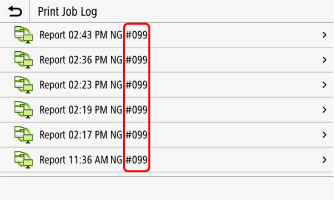
An error code (3-digit code beginning with a "#") appears in the report or job log
When an error occurs, such as when you could not print or send a scan, an error code (3-digit code beginning with a "#") appears in the job log.
- Checking the Print Job Status and Log
- Checking the Copy Job Status and Log
- Checking the Send and Save Status and Log of Scanned Data
To check details of this code, see "List of Error Codes".
Example of error code appearing in the job log: