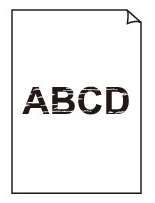
 Printing is faint

-
Check 1 Is the reverse side of the paper being used for printing?
Print on the printing surface.
-
Check 2 Is the Print head nozzle blocked?
Print a test pattern to check the nozzles and see if they are clogged.
-
Check 3 Are paper scraps stuck in the printer?
Remove paper scraps left inside the printer.
-
Check 4 Was the paper cut before the ink dried?
In the touch screen menu, select Paper-related settings > Advanced paper settings, and increase time in Pause between scans or Pause between pages.
-
Check 5 When printing photos and posters, are the Print target settings set correctly?
Do one of the following.
-
In the printer driver, change the setting to Photo (Color) or Poster in Print Target.
-
In the touch screen menu, select
 (Setup) > Printer settings > Print settings > Default print settings > Print quality settings > Print target, and change the setting to Photo. (This is only available when the printer driver's Media Type is set to Auto (Use Printer Settings)).
-
-
Check 6 Is the printer driver Print Quality set to a low quality setting?
Follow the steps below to set Print Quality to higher quality settings, and then print.
-
Windows
Change the Print Quality settings in the printer driver Advanced Settings.
-
macOS
Change the Print Quality in the printer driver Quality & Media settings.
 Note
NoteWhen the minimal margin printing or borderless printing, the optimal settings are automatically changed, so changing the settings may not change the print results.
-
-
Check 7 Does the paper used for printing create a lot of cutting dust?
In the touch screen menu, set Cut-dust reduction in Advanced paper settings to ON.
-
Check 8 When using paper with one printable surface, check the correct printable side of the paper.
Printing on the wrong side of such paper may cause unclear prints or prints with reduced quality.
Refer to the instruction manual supplied with the paper for detailed information on the printable side.
-
When copying, see also the sections below:
-
Check 9 Is platen glass dirty?
Clean the platen glass.
-
Check 10 Make sure original is properly loaded on platen.
When you load the original on the platen, load it with the side to be copied facing down.
-
Check 11 Is copy source a printed paper by printer?
If you use a printout done by this printer as the original, print quality may be reduced depending on the condition of the original.
Print from the printer directly, or reprint from the computer if you can reprint from it.
