Loading Originals on Document Platen
You can load originals that meet the following conditions to the printer.
| Item | Details |
|---|---|
| Types of originals |
Text document, magazine, or newspaper Printed photo, postcard, business card, or disc (BD/DVD/CD, etc.) |
| Size (width x height) | Max. 8.5 x 11.7 in. (216 x 297 mm) |
-
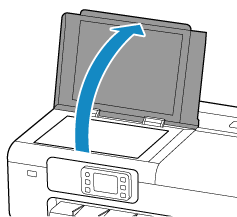
Open the document cover.
-
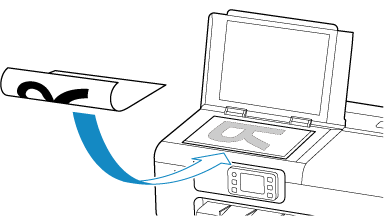
Load original with side to scan facing down on document platen.
 Important
-
Be sure to observe the following when loading the original on the document platen. Failure to observe the following may cause the scanner to malfunction or the platen glass to break.
-
Do not place any objects weighing 4.4 lb (2.0 kg) or more on the platen glass.
-
Do not put any pressure of 4.4 lb (2.0 kg) or more on the platen glass, such as pressing down the original.
-
Make sure any liquids on documents, such as glue, ink, or correction fluid are dry before loading.
-
-
-
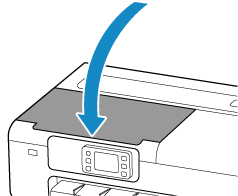
Close the document cover gently.
 Important
-
After loading the original on the document platen, be sure to close the document cover before starting to copy or scan.
-
