Top View
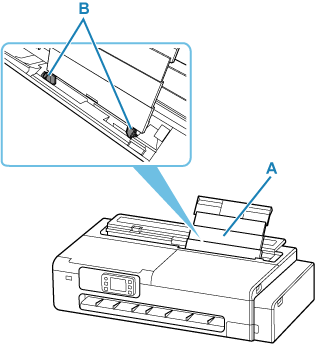
- A: Top Feed
-
When loading sheets, postcards, envelopes or medicine envelopes, open the top feed and then pull it upwards.
- B: Paper Guides
- Align with both sides of the paper stack.
Top View (with roll loaded)
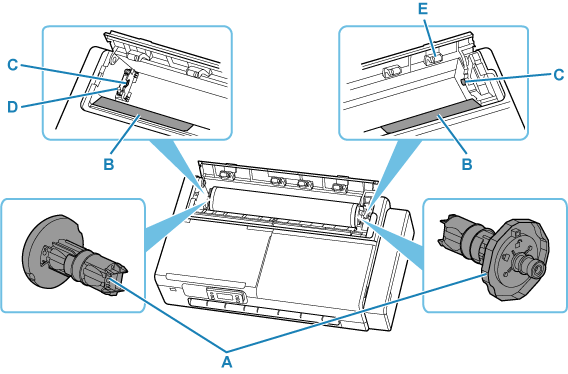
- A: Roll Holder
-
When the roll is loaded into the printer, it is attached and secured on either side of the roll paper.
- B: Slide Guide
- Slide the roll holder over this guide to load the roll into the printer.
- C: Roll Holder Slot
- The roll holder shafts mounted on either side of the roll are set in these slots.
- D: Roll Holder Support
-
Move this left or right when changing the width of the roll to be set.
- E: Feed Cover Rollers
- When feeding roll paper, these rollers help carry the paper to the paper retainer.
