Moving the Roll Holder Support
To load roll paper of different widths, move the roll holder support as described below.
-
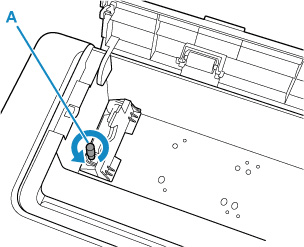
Loosen the knurled screw (A) securing the roll holder support by turning it counterclockwise.
-
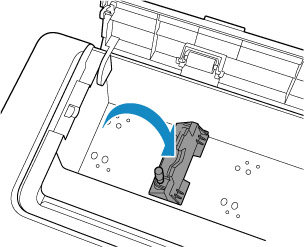
Move the roll holder support according to the width of the roll paper to be set.
 Important
-
There is a hole for the knurling screw at the positions of each support roll paper size. Move the holder to the required position and make sure that the screw is aligned with the hole.
-
-
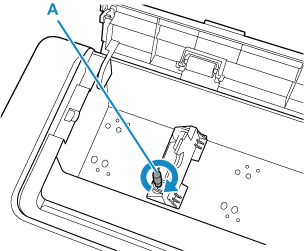
Turn the knurled screw (A) clockwise to secure the roll holder support to the printer.
 Important
-
Tighten knurled screw finger-tight until it stops turning. Do not use a screwdriver or similar tool to tighten the screw too tightly.
 Note
Note-
After moving the roll holder support, continue loading the roll paper.
-
