
Shortcut Print Dialog Box
This dialog box allows you to select the type of icon for executing shortcut printing.
For details on how to create a shortcut print icon, see "Creating a Shortcut Print Icon".
For details on how to print using the shortcut print function, see "Print a File".
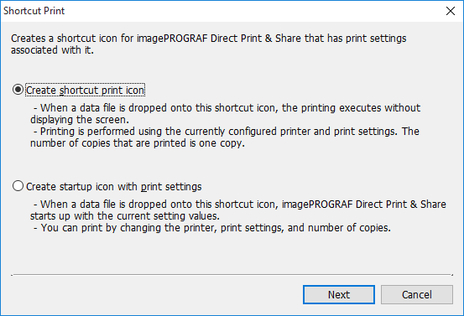
- Create shortcut print icon
-
Create a shortcut print icon.
- Create startup icon with print settings
-
Create an icon for starting with attached print settings.
- Next button
-
The Save As dialog box is displayed. For details on the Save As dialog box, see "Save As Dialog Box".
