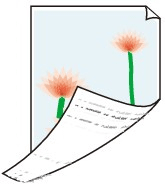
 The back side of the paper is dirty

-
Check 1 Was the previous print job borderless, or printed on small paper?
The platen may become dirtied by borderless printing or on small paper sizes.
Clean the platen.
-
Check 2 Is Detect paper width in the touch screen menu set to Disable?
Printing with Detect paper width set to Disable may cause the platen to be dirtied.
Set Detect paper width in the touch screen menu to Enable, and then clean the platen.
-
Check 3 Does this paper take longer to dry?
Increase the length of the Pause between pages and Pause between scans settings from the touch screen menu.
If the platen is dirty, open the top cover and clean the platen.
 Note
Note-
When printing on paper that takes longer to dry, the paper may curl during printing and come in contact with the output tray.
In such situations, set an Ink drying wait time and an Ink drying target area for Pause between scans in the touch screen menu.
However, note that printing will now take longer.
-
-
Check 4 Does the paper loaded on the printer match the media type selected in the printer driver?
The platen may become dirty if the loaded paper does not match the settings. We recommend that you clean the platen before printing again.
When printing with the media type specified in the printer driver, load the specified media type in the printer.
When printing with the media type loaded in the printer, specify the media type in the printer driver.
- Printing with Easy Setup (Windows)
- Printing with Easy Setup (macOS)
Note-
When Auto (Use Printer Settings) is selected for the media type, printing is performed with the media type loaded in the printer.
-
Click Get Information to reflect the paper information set in the printer to the printer driver.
-
Check 5 Does the paper type selected in the printer driver or on the touch screen match the actual paper type loaded?
The platen may become dirty if the loaded paper does not match the settings. We recommend that you clean the platen before printing again.
Set the correct paper type on the touch screen.
-
Check 6 Dirt may be removed by letting a blank sheet of paper pass through.
If the roll paper is dirty, perform Set cut length several times.
If the sheet is dirty, perform Bottom Plate Cleaning.
