Cutting Roll Paper
After feeding of the roll paper, you can feed the roll paper by a specified length and cut it. (Set cut length)
-
Select paper settings display area on the Home Screen.
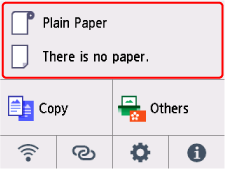
-
Select the roll paper area.
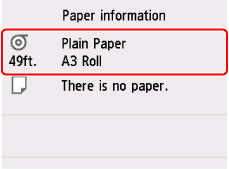
-
Select Set cut length.
-
Select the input field and enter the length by which you want to feed the roll paper.
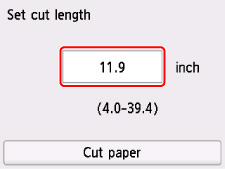
-
Select Cut paper.
-
Select Yes.
The roll paper is cut after the specified length is fed.
