Cutting Roll Paper after Printing
How rolls are cut after ejection varies depending on printer settings.
Eject cut (when the paper surface is being scratched / to wait for ink to dry)
 Important
-
When cutting wide printed documents after ejection, have two people support the documents. If the paper drops, printed documents may be damaged.
-
Do not lift the paper when holding printed documents before cutting. If the paper rises, it may affect the printing quality or cause rough cut edges.
-
After printing is completed, Eject cut is possible after the set ink drying time has passed. If 5 minutes have passed without Eject cut, the printed document will be cut automatically to protect the printer mechanism.
-
Print the job.
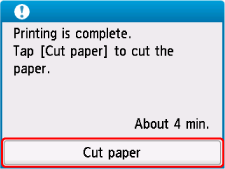
When printing is finished, the printer will stop without cutting.
-
While holding the printed document from the bottom edge to prevent it from dropping, select Cut paper to cut the roll paper.