
WPS (Router Button) Connection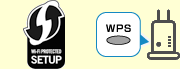
-
Make sure the WPS button on the wireless router is ready to be pressed.
-
Press and hold
 (Wi-Fi) on the printer, and then release it when the
  (Wi-Fi) lamp flashes.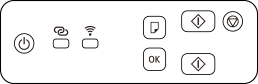
-
Press and hold the WPS button on the wireless router within 2 minutes.
 Note
Note- For more on pressing the WPS button, see the wireless router manual.
Once connection to the wireless router is complete, the
(Wi-Fi) lamp stops flashing and stays lit.If
 (Alarm lamp) lights up, see Troubleshooting.
The network connection setup is now complete.
If performing setup without using computer, smartphone, etc.:
-
Download and install software.
After installing the software, start the software, and then follow the on-screen instructions to proceed with setup.
If performing setup using computer, smartphone, etc.:
-
After checking the following, click the close button on the Web browser to close this guide.
Windows
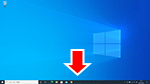
Click
 or
or  in the taskbar, and then follow the on-screen instructions to proceed with setup.
macOS
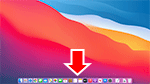
Click
 in the Dock, and then follow the on-screen instructions to proceed with setup.
Smartphone/tablet
Return to the
 app on the smartphone, and then follow the on-screen instructions to proceed with setup.
