
Obmedzenie funkcií USB
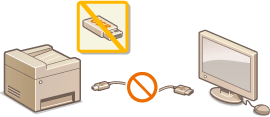
USB je pohodlný spôsob pripojenia periférnych zariadení a ukladania alebo relokácie dát, ale USB môže byť aj zdrojom úniku informácií, ak nie je správne spravované. Pri manipulácii s pamäťovými zariadeniami USB buďte mimoriadne opatrní. V tejto časti je opísané, ako obmedziť pripojenie cez port USB zariadenia a ako zakázať používanie pamäťových zariadení USB.
|
|
|
Ak sa zobrazí prihlasovacie okno, zadajte ID správcu systému a kód PIN. Prihlásenie sa v zariadení
|
Obmedzenie pripojenia USB s počítačom
Môžete deaktivovať port USB počítačového pripojenia nachádzajúci sa na zadnej strane zariadenia. Ak je tento port deaktivovaný, zariadenie nemôže komunikovať s počítačom pomocou USB. Toto nastavenie nemá vplyv na port USB na pravej strane, ktorý slúži na pripojenie pamäťových zariadení USB.
<Ponuka (Menu)>  <Predvoľby (Preferences)> <Externé rozhranie (External Interface)> <Nastavenia USB (USB Settings)> Vyberte možnosť <Vyp. (Off)> v ponuke <Použiť ako zariadenie USB (Use as USB Device)> <Použiť (Apply)> Reštartujte zariadenie
<Predvoľby (Preferences)> <Externé rozhranie (External Interface)> <Nastavenia USB (USB Settings)> Vyberte možnosť <Vyp. (Off)> v ponuke <Použiť ako zariadenie USB (Use as USB Device)> <Použiť (Apply)> Reštartujte zariadenieObmedzenie funkcie skenovania na USB
Môžete deaktivovať ukladanie údajov naskenovaných originálov na pamäťové zariadenie USB.
<Ponuka (Menu)> <Nastavenia funkcií (Function Settings)> <Uloženie/prístup k súborom (Store/Access Files)> <Nastavenia pamäťového média (Memory Media Settings)> Vyberte položku <Vyp. (Off)> v ponuke <Použiť funkciu skenovania (Use Scan Function)> <Použiť (Apply)> Reštartujte zariadenie
<Nastavenia funkcií (Function Settings)> <Uloženie/prístup k súborom (Store/Access Files)> <Nastavenia pamäťového média (Memory Media Settings)> Vyberte položku <Vyp. (Off)> v ponuke <Použiť funkciu skenovania (Use Scan Function)> <Použiť (Apply)> Reštartujte zariadenieObmedzenie funkcie tlače z USB
Môžete deaktivovať tlač dát z pamäťového zariadenia USB. Nedajú sa vytlačiť dáta z pamäťového zariadenia USB.
<Ponuka (Menu)> <Nastavenia funkcií (Function Settings)> <Uloženie/prístup k súborom (Store/Access Files)> <Nastavenia pamäťového média (Memory Media Settings)> Vyberte možnosť <Vyp. (Off)> v ponuke <Použiť funkciu tlače (Use Print Function)> <Použiť (Apply)> Reštartujte zariadenie
<Nastavenia funkcií (Function Settings)> <Uloženie/prístup k súborom (Store/Access Files)> <Nastavenia pamäťového média (Memory Media Settings)> Vyberte možnosť <Vyp. (Off)> v ponuke <Použiť funkciu tlače (Use Print Function)> <Použiť (Apply)> Reštartujte zariadenie