Using the Basket on the Printer Stand
You can store printed documents in the basket.
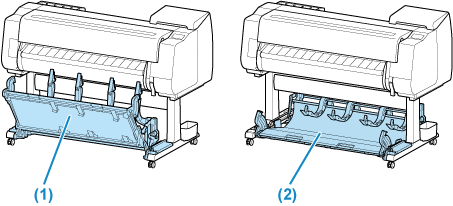
Use the regular position (1) to accommodate printed materials in the basket. Refer to "Example Basket Configurations" for instructions on how to use the eject position for convenient removal of printed materials.
When setting the roll paper in the roll unit, retract the basket in position (2).
 Important
-
When storing printed documents on the basket, always use it in position (1). If you do not, printed documents may not be dropped into the basket, and the printed surface may become soiled.
-
The number of sheets that can be collected in the basket is one. If printing multiple pages, print after removing each sheet.
-
If the cloth part of the basket becomes dirty, wipe off the dirt without washing. Washing it may affect the performance of the basket.
