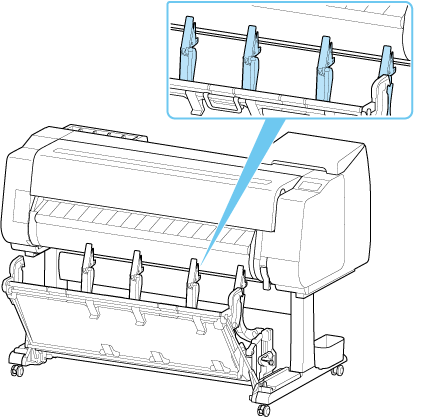
Retract the Basket on the Printer Stand
-
Check that the basket is in the regular position.
-
Move the basket lock lever in the direction of
 , and release the lock.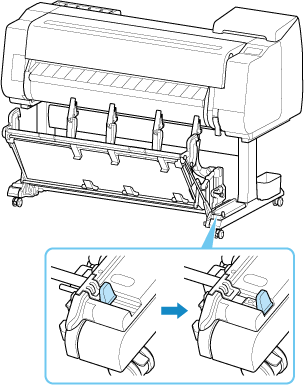
-
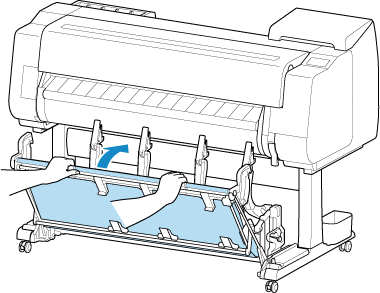
Hold the left and right handles placed in the cutout of the basket cloth, and push them to the back.
-
Push down the basket arm toward you until it is horizontal.
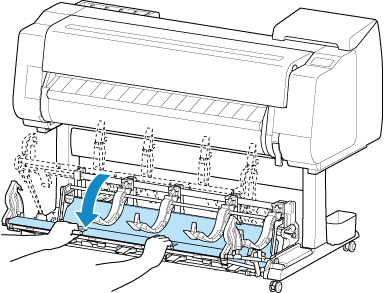
-
Store the basket by pushing basket arm to the back.
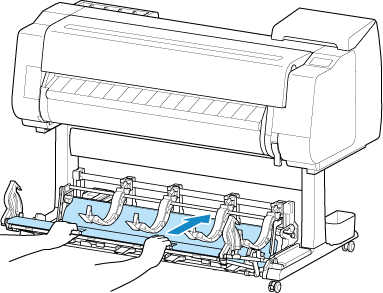
Return it to the regular position in the following procedure.
-
Hold the left and right handles placed in the cutout of the basket cloth, pull the basket arm towards you.
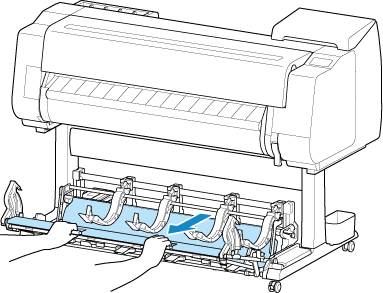
-
Move the basket lock lever in the direction of
 , and lock it.
 Note
Note
-
After returning the basket to its regular position, check that the paper guide of the basket is not tilted toward you.