Loading Plain Paper
-
Prepare paper.
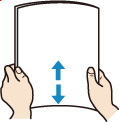
Align the edges of paper. If paper is curled, flatten it.
 Note
Note-
Align the edges of paper neatly before loading. Loading paper without aligning the edges may cause paper jams.
-
If paper is curled, hold the curled corners and gently bend them in the opposite direction until the paper becomes completely flat.
For more details on handling curled paper, see Check 3 in Printed Surface Is Smudged/Scratched/Ink Blots/Paper Curl/Paper Is Smudged During Automatic 2-sided Printing.
-
-
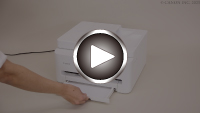
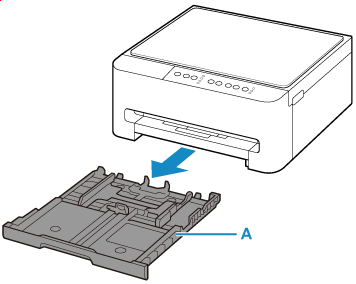
Pull out the cassette (A) from the printer.
-
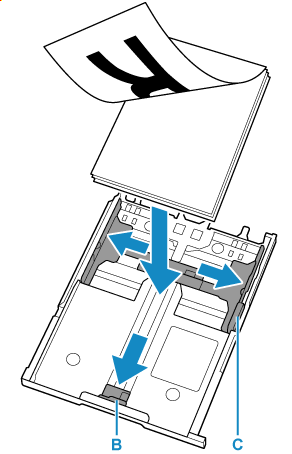
Slide paper guides (B) in front and (C) on right to open guides.
Load paper stack in portrait orientation WITH THE PRINT SIDE FACING DOWN, and place it in center of cassette.
 Important
-
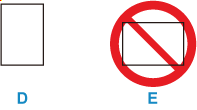
Always load paper in portrait orientation (D). Loading paper in landscape orientation (E) can cause paper jams.
Note-
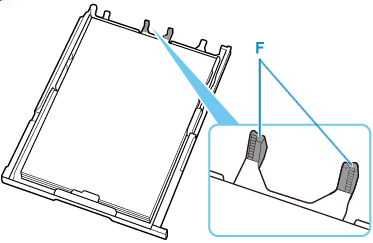
Align paper with the line on the cassette to load.
Paper may not be fed into the printer correctly if it presses against the protrusion (F).
-
-
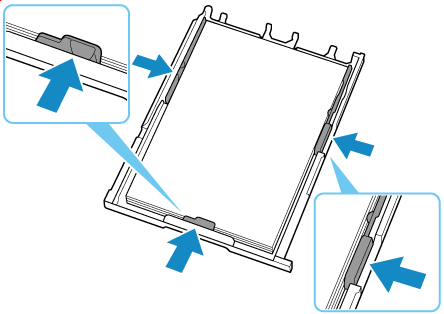
Move the paper guide and adjust the guides to edge of the paper stack.
Do not slide the paper guides too tightly against the paper. The paper may not be fed properly.
 Note
Note-
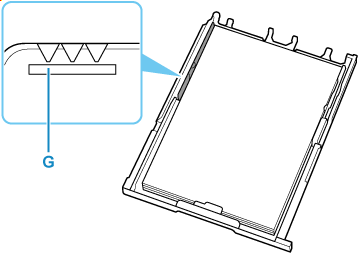
Do not load sheets of paper higher than the load limit mark (G).
-
-
Insert cassette into printer.
Push the cassette into the printer until it stops.
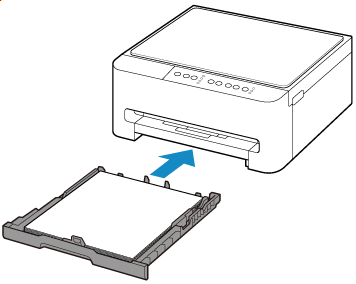
After inserting the cassette into the printer, the Paper lamp flashes.
-
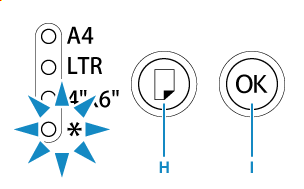
Press the Paper Select button (H), select the paper size according to the paper loaded in the cassette, then press the OK button (I).
-
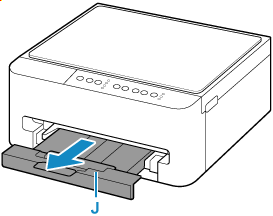
Pull out the paper output tray (J).
Note
-
To prevent incorrect printing, this printer has a function that detects whether the paper size set for the paper loaded in the cassette matches the paper size set when printing. Configure the print settings according to the paper size set for the paper loaded in the cassette. When this function is enabled, the Alarm lamp flashes to prevent incorrect printing if an incorrect paper size is set. If that happens, correct the paper size that is set.
