Front View
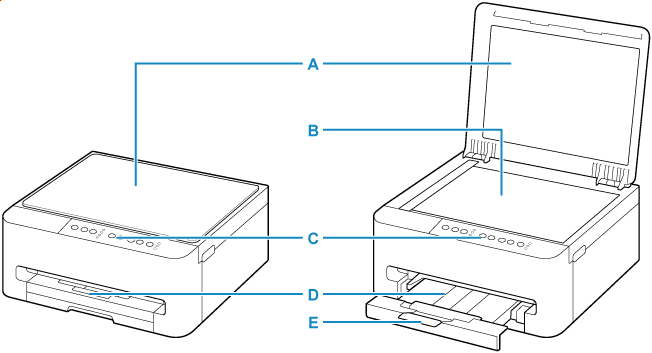
- A: Document Cover
- Open to load an original on the platen.
- B: Platen
- Load an original here.
- C: Operation Panel
-
Use to change the settings of the printer or to operate it.
- D: Paper Output Tray
- Printed paper is ejected. Pull out it before printing.
- E: Output Tray Extension
- Open to support ejected paper.
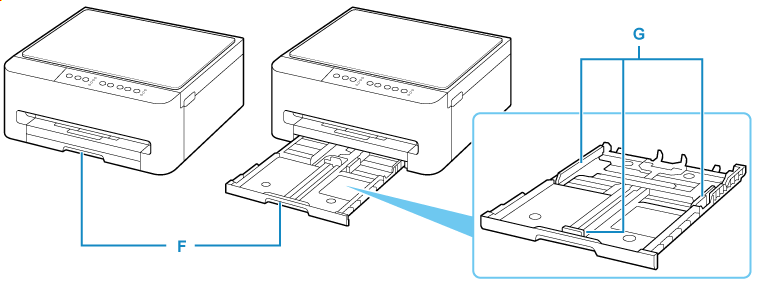
- F: Cassette
-
Load paper into the cassette, and insert it into the printer.
- G: Paper Guides
- Align with right/left/front sides of the paper stack.
