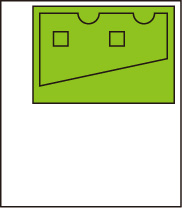
Mirror
Flip the image horizontally and print.
This item is displayed when Menu then Function Settings > Printer > Printer Settings > HP-GL/2 Settings > Paper Settings is selected in the Home screen.
-
OFF
Horizontal flip of the image is not performed.
-
ON
Flip the image horizontally and print.
Depending on the paper to be printed, the position where the horizontally flipped image is printed varies.
HORIZONTAL FLIP (MIRROR) EXAMPLE
-
When OFF is selected when printing on roll paper:
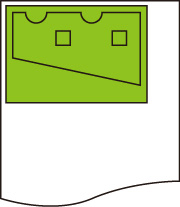
-
When ON is selected when printing on roll paper:
Do not move the position to print the image on the paper, flip the image horizontally.
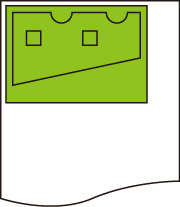
-
When OFF is selected when printing on cut paper or roll paper cut to standard size:
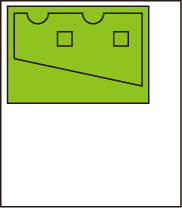
-
When ON is selected when printing on cut paper or roll paper cut to standard size:
Flip the image horizontally for each position where you print the image on the paper.