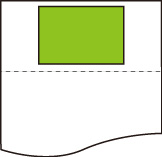
Print centered
Prints the output object area in the center of the paper.
This item is displayed when Menu then Function Settings > Printer > Printer Settings > HP-GL/2 Settings > Paper Settings is selected in the Home screen.
-
OFF
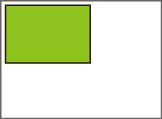
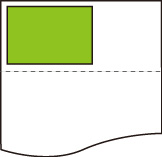
The output object area is not printed in the center of the paper.
-
ON
-
For cut sheet paper
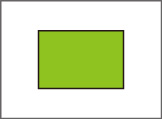
Prints the output object area in the center of the paper.
-
For roll paper
Prints the output object area in the horizontal center of the paper.
 Note
Note- The output object area is not printed in the center when the paper size is smaller than the output page size.
-
PRINT CENTERED EXAMPLES
-
OFF is selected when printing on sheet
-
ON is selected when printing on sheet
-
OFF is selected when printing on roll
-
ON is selected when printing on roll