Manual connect
-
Select Wi-Fi Settings.
-
Check the message content, and select Yes.
-
Select the network name (SSID) of the Wi-Fi router you want to connect to.
The encryption key/password entry screen is displayed.
If the wireless LAN router's security standard is WPA-EAP, WPA2-EAP or WPA3-EAP, the following message is displayed: To connect, the values configured in IEEE 802.1X Settings will be applied.. Press OK and go to step 5.
 Note
Note- Depending on the Wi-Fi router settings, the network name (SSID) may not be displayed. To connect, enter the network name (SSID) directly.
-
Enter the encryption key/password and select Apply.
-
If Connected. is displayed, select Close.
If Connection failed. is displayed, check the settings by following the displayed instructions.
-
On the operation panel, press the HOME button.
Once connection is complete,
 appears on the screen.
If performing setup with software, return to the software and proceed with the installation.
Windows
Click
 (or
(or  ) on the
 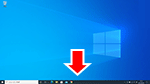 taskbar at the bottom of the screen, follow the on-screen instructions to proceed with setup.
macOS
Click
 on the
 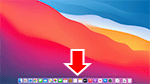 Dock at the bottom of the screen, and follow the on-screen instructions to proceed with setup.
