WPS (PIN Code) Connection
-
Select Wi-Fi Settings.
-
Check the message content, and select Yes.
-
Select Other Connections.
-
Select WPS PIN Code Mode.
-
Follow the on-screen instructions on a computer to set a PIN code on the wireless router.
-
If Connected. is displayed, select Close.
-
On the operation panel, press the HOME button.
Once connection is complete,
 appears on the screen.
If performing setup with software, return to the software and proceed with the installation.
Windows
Click
 (or
(or  ) on the
 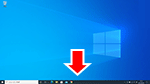 taskbar at the bottom of the screen, follow the on-screen instructions to proceed with setup.
macOS
Click
 on the
  Dock at the bottom of the screen, and follow the on-screen instructions to proceed with setup.
