Specifying the Paper Length
When changing the length of paper after the paper has been advanced, specify the length as follows.
 Note
Note
-
Specify the roll paper length when you have set Manage remaining roll amount to Barcodes.
-
In the Overview screen, select the roll paper setting display area.
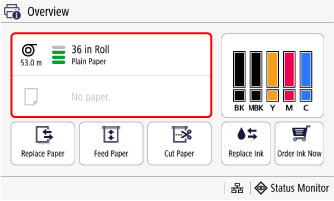
-
Select Paper Settings.
-
Select Paper Length.
-
Enter roll paper length and select Apply.
