skip to main text
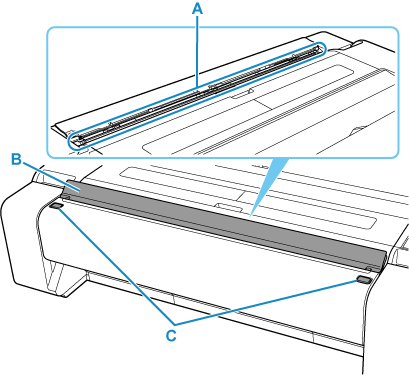
Scanning Unit
- A: Original Feed Slot
- Load an original for copying or scanning here.
- B: Original Feed Slot Cover
- This cover prevents debris from entering the original feed slot when the scanning unit is not in use.
Open it when copying or scanning. If the original is thick paper or paper that is difficult to bend, open the cover fully.
- C: Scanning Unit Release Buttons
- Buttons for opening the scanning unit.
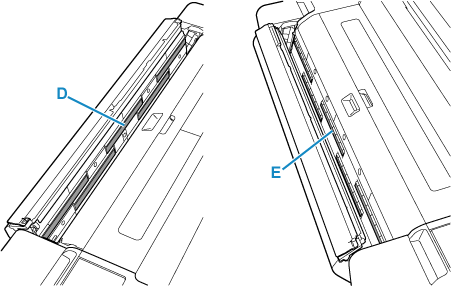
Inside the Scanning Unit
- D: Scanner Glasses
- Parts that scan an original.
- E: White Calibration Strips
- Parts that serve as a reference for the color white when scanning an original.