
Make Print Settings
Settings can be made as necessary for specifying the paper source, print quality, etc.
-
Change settings as needed in print settings area on right side of main screen.
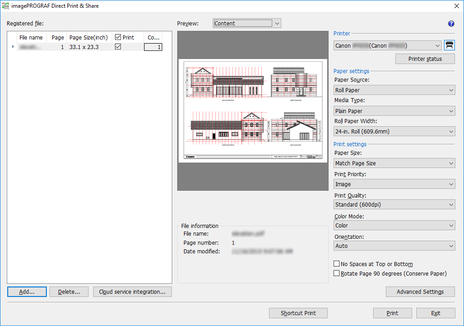
For details on the printer settings that can be configured in a HP-GL/2 format file, see "Main Screen".
-
If you want to make settings that are not specified in the print settings area, click the Advanced Settings button.
Driver properties are displayed. Make any necessary settings, and then close the driver properties window.
 Note
Note
-
When multiple files are printed at the same time, all of the files are printed using the same print settings.
-
The only print settings that are reflected in the Direct Print & Share layout preview are Enlarged/Reduced Printing, Orientation, Rotate Page 90 degrees (Conserve Paper), Paper Source, Print Centered, Rotate 180 degrees, and Borderless Printing. Other settings (including Stamp, No Spaces at Top or Bottom, and Page Layout such as 2 Pages/Sheet) are not reflected.
