


Set the date and time.
-
Press the
 button on the printer.
 -
Use the


 buttons to select Setup.
 -
Press the OK button.
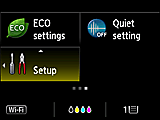
-
Select Device settings, then press the OK button.
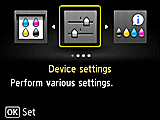
-
Select Device user settings, then press the OK button.
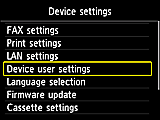
-
Select Date/time setting, then press the OK button.
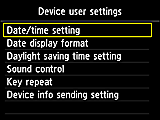
-
Use the
buttons to move the cursor under the target position, then enter the month/day/year (last two digits) and hour (24-hour format)/minute using the Numeric buttons or the buttons.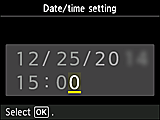
-
Check the entered details, then press the OK button.
The date and time settings are completed. Go to the next page.


