Napredno postavljanje veza
-
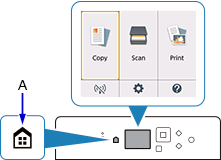
Pritisnite gumb POČETNA (HOME) (A).
-
Pomoću gumba


 (B) odaberite
  (C) i pritisnite gumb U redu (OK).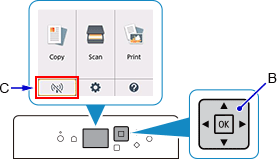
-
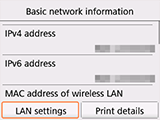
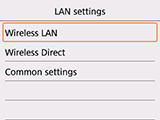
Odaberite Post. za LAN (LAN settings) i pritisnite gumb U redu (OK).
-
Odaberite Bežični LAN (Wireless LAN) i pritisnite gumb U redu (OK).
-
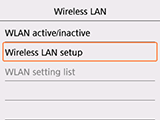
Odaberite Postavlj. bežičn. LAN-a (Wireless LAN setup) i pritisnite gumb U redu (OK).
-
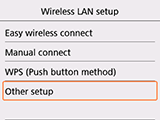
Odaberite Drugo postavljanje (Other setup) i pritisnite gumb U redu (OK).
-
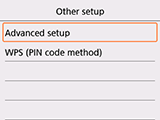
Odaberite Napredno postavljanje (Advanced setup) i pritisnite gumb U redu (OK).
-
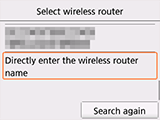
Odaberite opciju Izravno unesite naziv bežičnog usmjerivača (Directly enter the wireless router name) i pritisnite gumb U redu (OK).