Wi-Fi Connection
Follow the procedure below to setup a printer.
 Note
Note
- Notes on Wi-Fi Connection (Appears in a new window)
-
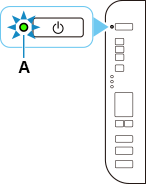
Make sure printer is turned on before starting wireless connection setup.
If the power is on, the ON lamp (A) will be lit.
 Important
- If printer is performing cleaning, print head alignment, or other processes, wait for the process to finish, before starting setup.
-
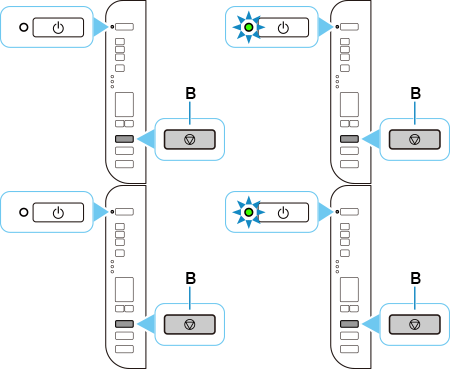
If the ON lamp on the printer is flashing, press the Stop button (B).
-
Return to the application software and proceed with the installation.
Windows
Click
 in the taskbar, follow the on-screen instructions to proceed with setup.
macOS
Click
 in the Dock, follow the on-screen instructions to proceed with setup.