
Easy wireless connect
-
Check the screen displayed on the printer.
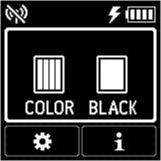
 Note
Note-
If a screen other than the HOME screen is displayed, please check the following.
-
If the following screen is displayed
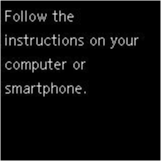
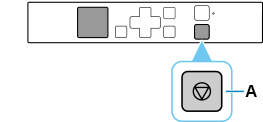
Press the Stop button (A), then proceed to the step 3.
-
If the following screen is displayed
If 3440 error, 3441 error or "Easy wireless connect has been completed." is displayed, press the OK button, and then proceed to the step 2.
If a different error screen is displayed, use the close button to exit your current application software, and then perform the setup again.
The initial screen for printer setup appears via the model selection screen.
-
-
-
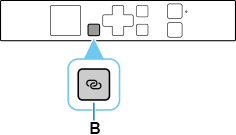
Press and hold the printer's Wireless connect button (B) for about three seconds.
-
Once connection preparation is complete, the following screen appears on the printer.
If an error appears, select "Other setup" and follow the on-screen instructions.
-
Proceed with the settings according to your OS environment.
