
Notes on Wi-Fi Connection
-
Make sure your computer and the wireless router (A) are connected. For details on checking these settings, see the manual supplied with the wireless router or contact its manufacturer.
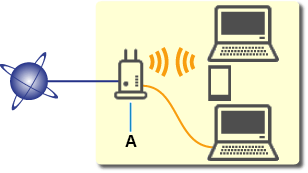
- Configuration, router functions, setup procedures and security settings of wireless routers vary depending on the system environment. For details, see the manual for your wireless router or contact its manufacturer.
- Depending on your country or region, this printer does not support wireless networking standards using the 5 GHz band.
- When connecting to Wi-Fi outdoors, do not connect to a 5 GHz network (SSID).
The 5 GHz band available for use with the printer includes the channels that are allowed for indoor use only, depending on your country or region.
For details on the 5 GHz network (SSID) of your wireless router, see the manual supplied with the wireless router, or contact its manufacturer. - For office use, consult your network administrator.
- Note that if you connect to a network with no security protection, your personal information could be disclosed to a third party.
- You cannot establish a printer with wireless and wired connections at the same time. LAN and USB can be used at the same time.
