
Easy wireless connect
Setup a printer.
Follow the procedure below to setup a printer.
 Important
- If a device is connected to the Internet via a wireless router, and you then connect it to a printer in Wireless Direct mode, the existing connection between the device and wireless router will be disabled. In that case, the connection of the device may switch to a mobile data connection automatically depending on your device. When you connect to the Internet using a mobile data connection, charges may apply depending on your contract.
- When "IEEE802.1X/EAP (WPA/WPA2/WPA3 Enterprise)" is enabled, Easy wireless connect will not work. To connect with "IEEE802.1X/EAP (WPA/WPA2/WPA3 Enterprise)," consult your network administrator.
-
Select
 (HOME) on printer.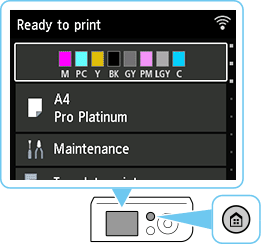
 Note
Note- If an error screen is displayed, press OK button, and then select (HOME).
- If an error screen is displayed, press OK button, and then select
-
Select LAN settings with printer's

 buttons (A) and press OK button.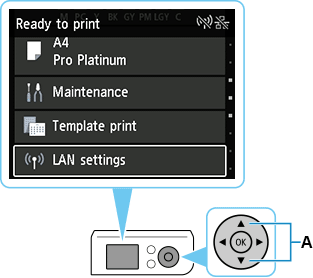
-
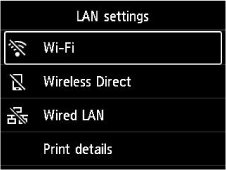
Select Wi-Fi and press the OK button.
-
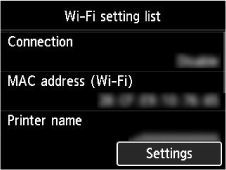
Select Settings and press OK button.
-
Select Wi-Fi setup and press OK button.
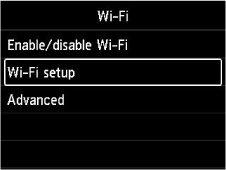
-
Select Easy wireless connect and press OK button.
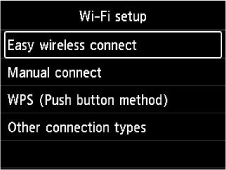
-
Press OK button.
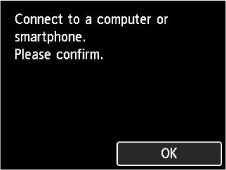
-
Once connection preparation is complete, the following screen appears on the printer.
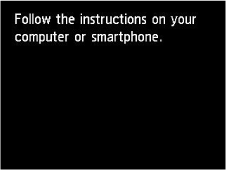
If an error appears, select "Other connection types" and follow the on-screen instructions.
-
Proceed with the settings according to your OS environment.
