การเชื่อมต่อผ่านตั้งค่าไร้สายเคเบิล
-
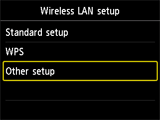
แตะ Other setup
-
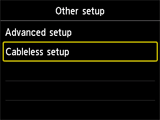
แตะ Cableless setup
-
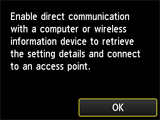
แตะ OK
-
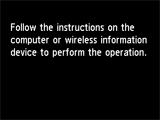
เมื่อจัดเตรียมเครื่องพิมพ์เสร็จแล้ว หน้าจอด้านล่างจะปรากฏขึ้น
กลับไปที่หน้าจอแอพพลิเคชั่นและดำเนินการตั้งค่า

แตะ Other setup
แตะ Cableless setup
แตะ OK
เมื่อจัดเตรียมเครื่องพิมพ์เสร็จแล้ว หน้าจอด้านล่างจะปรากฏขึ้น
กลับไปที่หน้าจอแอพพลิเคชั่นและดำเนินการตั้งค่า
© Canon Inc. 2013

