
Connection via Advanced setup
-
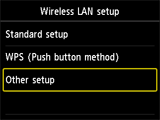
Tap Other setup.
-
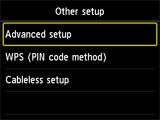
Tap Advanced setup.
-
Tap your access point.
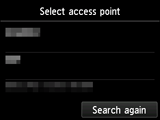
If another screen appears, refer to "Troubleshooting."
-
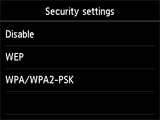
Tap the security protocol set on the access point.
If Connected to the access point. appears on the printer, the network does not require a password. Select "Disable" in the next step and proceed with the setup.
-
Select the security protocol set on the access point.

