
Manual connect -Disable-
-
When the screen on the below appears, press the OK button.
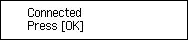
If a different screen appears, follow the on-screen instructions.
If an error appears, security is set; return to the previous page and select WPA/WPA2/WPA3.
-
Press the Setup button.
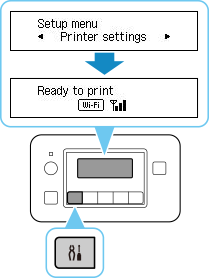
The network connection setup is now complete.
When connection is complete,
 appears on screen.
 -
Proceed with the setup as follows according to your environment.
