Removing Jammed Paper through Feed Slot of Cassette
Cause
Paper is jammed.
What to Do
-
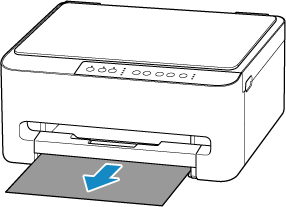
Hold jammed paper firmly with both hands and pull it out slowly.
Slowly pull out the paper so as not to tear it.
 Note
NoteIf the paper cannot be pulled out or is torn, detach the rear cover and remove the jammed paper from the rear side.
-
Load paper in cassette.
-
Pull out paper output tray.
-
Press printer's Black button or Color button.
The printer resumes printing. Reprint the page you were printing if it was not printed properly due to the paper jam.
