

Print color images in black and white. You can also print photos shot in black and white or data converted to black and white in image editing software.
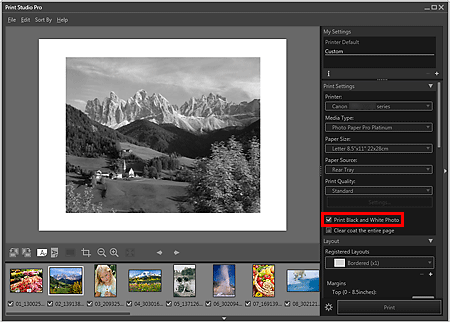
Make sure that the images you want to print are displayed in the Thumbnails area at the bottom left of the screen.
Select the Print Black and White Photo checkbox in Print Settings.
 Important
When the Print Black and White Photo checkbox is selected, all the images to be printed will be printed in black and white.
Click Print.
The Print dialog box appears.
Click OK.
 Note
NoteYou can adjust the black and white tone. See "Adjusting the Tones of Black and White Photos" for details.
Page top |

