Print Photos from Your Smartphone
Use the Canon PRINT app to print photos directly from your smartphone.
 Recommended Use
- Update photos displayed in your photo frames after a recent trip.
- Print out photos to give to family and friends after their visit.
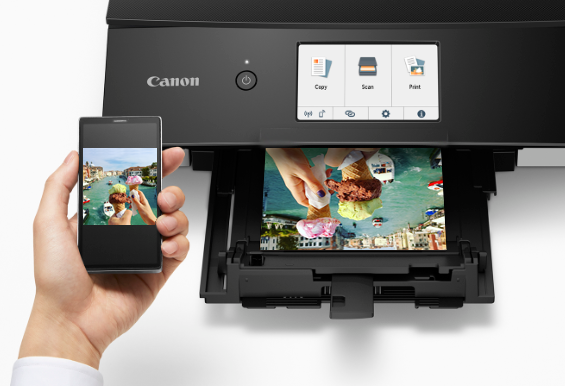
Items Required (Materials, Tools)
 Canon PRINT smartphone app
- Inkjet paper
 Procedure
-
STEP
1Open
Canon PRINT.Download Canon PRINT from here
-
STEP
2Select your photos.
-
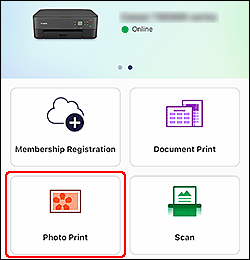
Tap!
-

Select photos!
-
-
STEP
3Check settings and print.
-
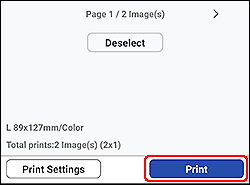
Tap!
-
 Tips
Tips
- To change the paper size and other settings, tap Print Settings.
 Complete!

Download from here!
 Canon PRINT