Example Basket Configurations
When printing line drawings on plain paper, you can use the basket not only at the regular position but also at two kinds of extended positions convenient for catching printed material.
The paper sizes that can be used with these extended positions are shown in the table below. Use the best position that suits the paper size and orientation.
 Important
-
Use the regular position in the following situations. If you print multiple sheets in the regular position, remove the printed material from the basket one sheet at a time.
- Paper other than plain paper
- Paper sizes not listed in the following table and printed material other than line drawings
- If the paper curls excessively due to the qualities of the paper or the usage environment
- If the paper curls excessively near the end of a roll of paper
-
When using in the extended position A/B, remove the printed material carefully to prevent the printed surface from rubbing against the rod or handle of the basket.
-
Return the basket to the regular position after printing.
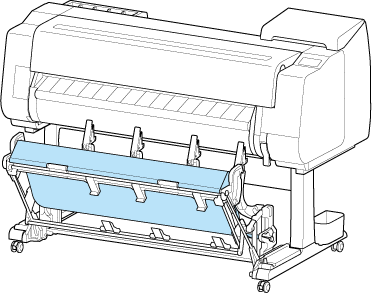
Extended position A
| Paper orientation | BU-09 (TX-4310/ TX-5431) | BU-08 (TX-3310 / TX-5331) |
|---|---|---|
| Portrait |
36"x48" (ARCH E) (914.4 x 1219.2 mm) 24"x36" (ARCH D) (609.6 x 914.4 mm) A0 (841.0 x 1189.0 mm) A1 (594.0 x 841.0 mm) |
36"x48" (ARCH E) (914.4 x 1219.2 mm) 24"x36" (ARCH D) (609.6 x 914.4 mm) A0 (841.0 x 1189.0 mm) A1 (594.0 x 841.0 mm) |
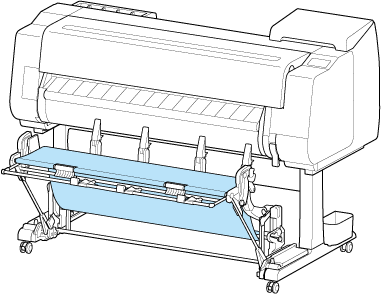
Extended position B
| Paper orientation | BU-09 (TX-4310 / TX-5431) | BU-08 (TX-3310 / TX-5331) |
|---|---|---|
| Landscape |
24"x36" (ARCH D) (609.6 x 914.4 mm) 18"x24" (ARCH C) (457.2 x 609.6 mm) A1 (594.0 x 841.0 mm) A2 (420.0 x 594.0 mm) |
24"x36" (ARCH D) (609.6 x 914.4 mm) 18"x24" (ARCH C) (457.2 x 609.6 mm) A1 (594.0 x 841.0 mm) A2 (420.0 x 594.0 mm) |
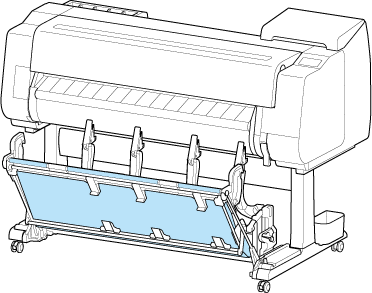
Regular position
Extended position A
Extended position B
Switching to Extended position A
Switch the stacker to Extended position A as follows.
-
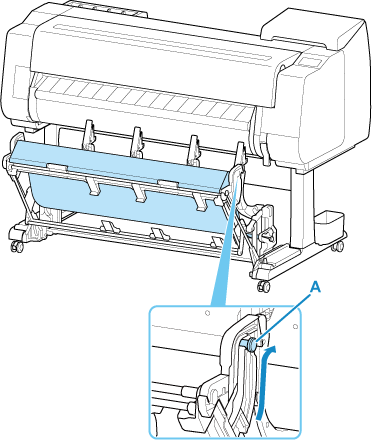
Lift the Support Rod to the position shown (A) and switch the stacker to Extended position A.
-
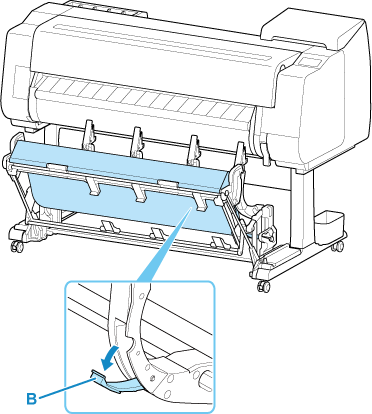
When using 24-inch or A1 roll paper, pull out the Adjustable Stopper (B).
This completes the procedure for switching to Extended position A.
Once the printing has finished, use the following procedure to return to the regular position.
-
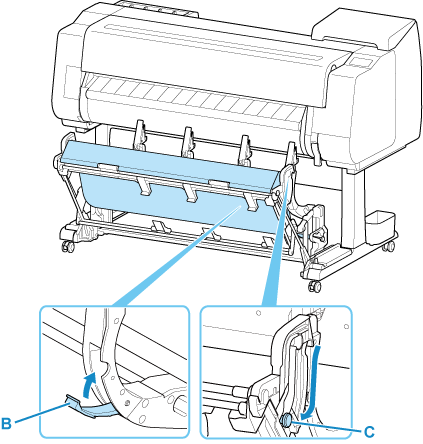
Lower the Support Rod to the position shown (C) to return to the regular position.
If the Adjustable Stopper (B) is extended, retract it.
-
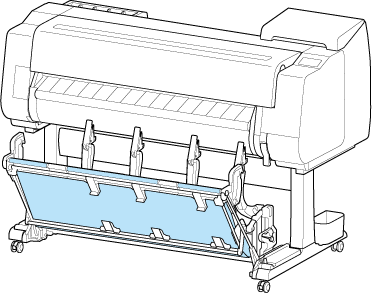
Return to the regular position.
Switching to Extended position B
Switch the stacker to Extended position B as follows.
-
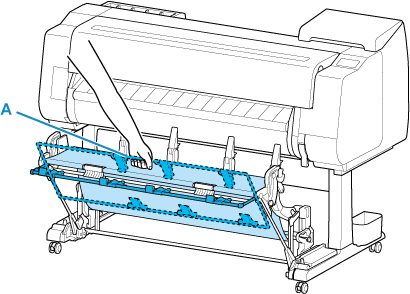
Grasp the rod (A) on the near side and pull out the basket so that it tilts towards you.
-
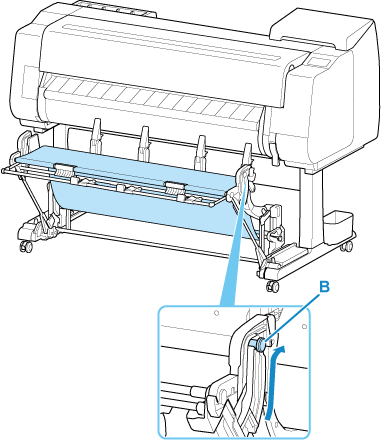
When using 36-inch or A0 roll paper, raise the support rod to the position (B) shown in the illustration.
-
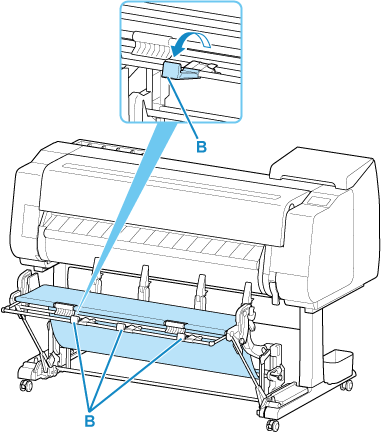
Open the Basket Ejection Guides (C).
This completes the procedure of switching to Extended position B.
Once the printing has finished, use the following procedure to return to the regular position.
-
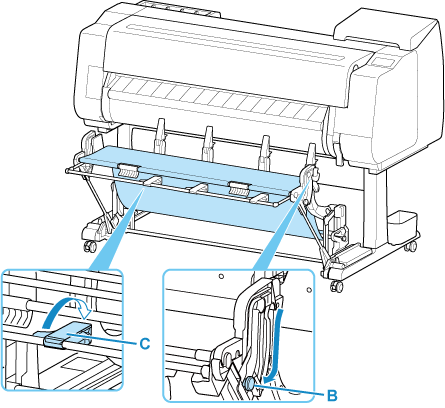
Push the Basket Ejection Guides (C) closed until it clicks into place.
When the support rod (B) is raised, lower it.
-
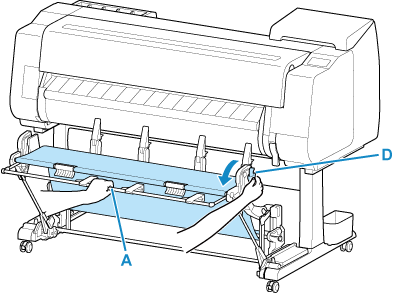
Hold onto the rod (A) on the near side and pull the basket release lever (D) towards you.
-
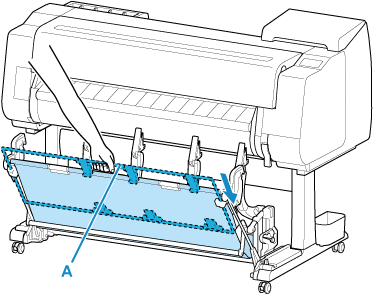
While holding the rod (A) on the near side, slowly lower the basket.
-
Return to the regular position.
