
Printing by Placing Smartphone over Printer
The printer supports NFC (Near Field Communication), a short-range wireless communication technology.
By placing an NFC-enabled Android smartphone or tablet over the NFC mark on the operation panel of the printer, you can print photos and documents saved on the smartphone or tablet.
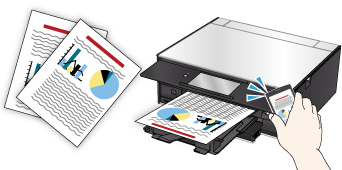
Before Using NFC
Download and install Canon PRINT Inkjet/SELPHY.
Download free from Google Play.
Activates the NFC function of your smartphone. For details, see your smartphone's instruction manual.
 Important
-
May not be available depending on your country or region.
-
The application can be downloaded for free; however, Internet connection fees apply.
Printing with NFC
Before you start printing, make sure Canon PRINT Inkjet/SELPHY is installed on your smartphone.
-
Start Canon PRINT Inkjet/SELPHY.
 Note
Note- When starting Canon PRINT Inkjet/SELPHY at first, the message prompting you to register the printer appears. For printing with NFC, the printer registration is not required. Tap the center of the screen on your smartphone to close the message.
-
Select Photo Print or Document Print.
If Data Conversion Service appears while you are printing a document, tapping OK converts its format to preserve the layout.
Important-
Your smartphone or tablet must be connected to the Internet to use data conversion service; however, Internet connection fees apply.
-
-
Select photo or document you want to print.
-
Make sure that NFC mark is displayed on the screen of Canon PRINT Inkjet/SELPHY and place smartphone over NFC mark on printer.
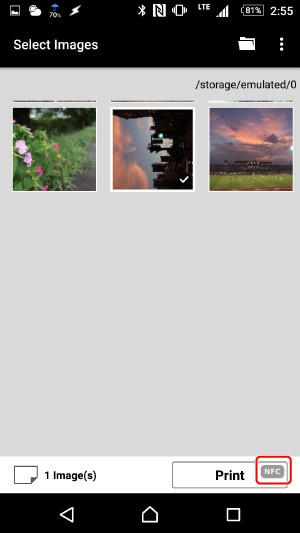
The smartphone is connected to the printer automatically and the printer starts printing.
Important
-
If printing does not start, change the position over which to place the smartphone.
-
If NFC mark is not displayed on the screen of Canon PRINT Inkjet/SELPHY, check the NFC setting of your smartphone and activate the NFC function.
Note
- By placing your smartphone over NFC mark on printer when the menu screen or the registration screen is displayed on Canon PRINT Inkjet/SELPHY, the printer is registered to Canon PRINT Inkjet/SELPHY.
