 Checking Status Code

You can check the current network status of the printer by printing network information. "Status Code" represents the network status.
Follow the procedure below to check the status code.
-
Print out network settings information.
-
Check "2-2" on printout.
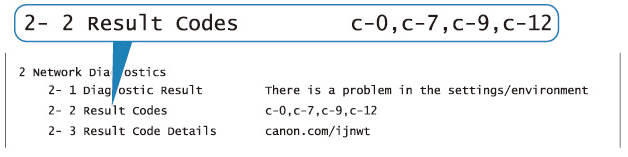
-
To resolve printed status codes, see the Checking Network Configuration Information section in Resolving Network Problems with Printer Diagnostics.
