Inside View
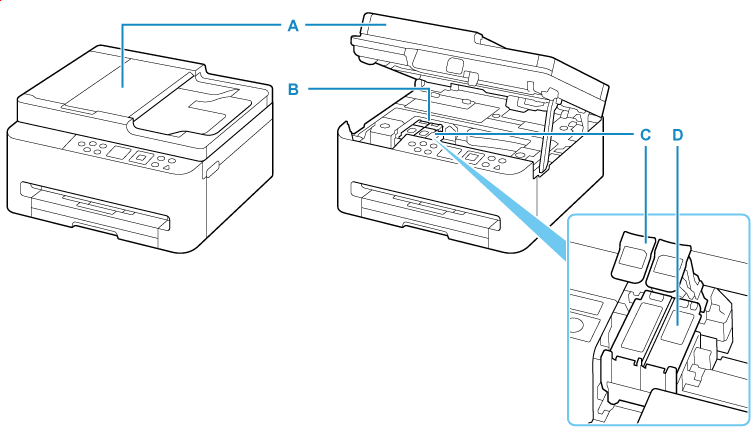
- A: Scanning Unit / Cover
- Scans originals. Open when replacing the FINE cartridge and to remove jammed paper.
- B: FINE Cartridge Holder
- Install the FINE cartridge.
- The color FINE cartridge should be installed into the left slot and the black FINE cartridge should be installed into the right slot.
- C: Ink Cartridge Locking Cover
- Secures the installed FINE cartridge.
- D: FINE Cartridge (ink cartridges)
- A replaceable cartridge that integrates print head and ink tank.
