Desktop Basket
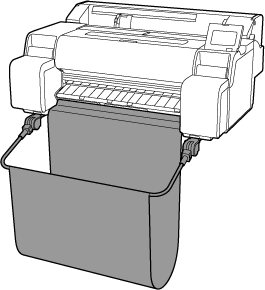
The following basket is available for this printer.
-
TM-515 / TM-510 / TM-500 / TM-5515 / TM-5510 / TM-5500 : Desktop Basket BU-07
Parts of Desktop Basket
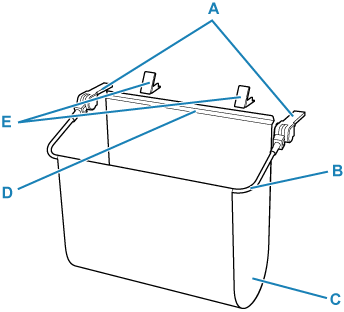
- A: Basket Adapters
- Insert these into the printer body to attach the Desktop Basket.
- B: Basket Arm
- Move the arm to open or close the basket.
- C: Basket Cloth
- Catches the ejected printed documents.
- D: Support Stay
- Attached in front of the output guide to support the basket cloth.
- E: Hook Holder
- Once the hook part of the support stay is attached, insert these into the space between the printer and the desk. Set them up against the printer to secure the basket.
 Note
Note
-
For instructions on how to use the Desktop Basket, see "Using the Desktop Basket".
