Frequently Asked Questions
Search by keyword:
Problems with the Printing Quality
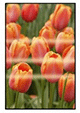
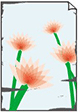
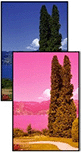
colors are inaccurate

General FAQ
Search by Category
Cannot Configure Network Settings
- Message Appears on Computer During Setup
- Cannot Proceed Beyond Printer Connection Screen (Cannot Find Printer Connected via USB)
- "Failed to connect to the wireless router." Appears
- Printer Cannot Be Used After Replacing Wireless Router or Changed Router Settings
- Privacy Separator/SSID Separator/Network Separation Function
Cannot Find Printer on Network
Cannot Print over Network
Network Connection Problems
Printer Problems
Printing Problems
Paper is not Fed or Ejected Properly
- Remove Jammed Roll Paper
- Remove a Jammed Sheet
- Remove Jammed Paper (Paper Feed Slot)
- What to Do When Small Paper Sizes Are Jammed
- Roll paper cannot be inserted into the Paper Feed Slot
- Printer Does Not Pick up or Feed the Paper/"No Paper" Error
- Roll Paper Remains/Lacks under Quantity Management
- The printer ejects blank, unprinted paper
