
Naming Personal Boxes
For easier identification, you can assign names to personal boxes.
This operation is available using Remote UI.
-
On Menu page, select Job management.
-
Select Saved job.
The saved job list appears.
-
On Saved job page, select box.

 Note
Note-
Enter the password if it is enabled for a saving box.

-
-
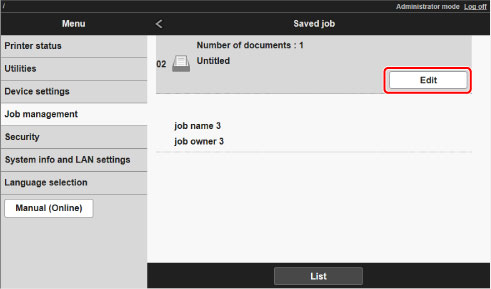
Select Edit.
-
In Edit job box dialog box, enter name in Job box name and select OK.

