
 Cannot Connect Smartphone/Tablet to Wireless Router

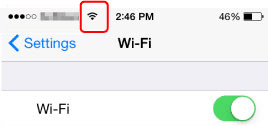
Is the Wi-Fi antenna displayed on your smartphone/tablet?
-
Example (iOS device):
-
Example (Android device):
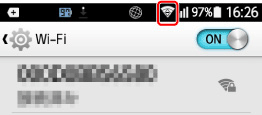
If the antenna is not displayed, your device's wireless function is disabled. Enable Wi-Fi on your device and connect it to a wireless router. For more on the procedure, refer to your device's instruction manual or visit the manufacturer's website.
 Note
Note
-
The setup on your smartphone/tablet will be easier when you complete setting up a wireless printer connection on your computer in advance.
