
1470
Cause
Cartridge is not installed properly.
What to Do
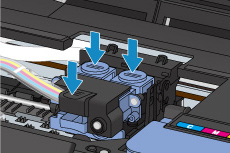
Open the scanning unit / cover, and then push the cartridge locking cover to make sure the cartridges are installed properly.
Alternatively, push the joint button.
 Important
-
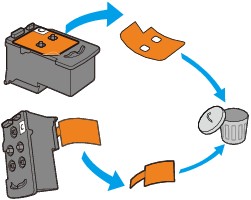
Remove the label and the protective tape of the cartridge to install it.
After that, close the scanning unit / cover.
