
Changing Background Colors
In the Item edit screen, you can change the background color of your items by page.
 Note
Note
- Available only when creating a photo layout.
-
In Item edit screen, select the page whose background you want to change, and then click Background Colors.
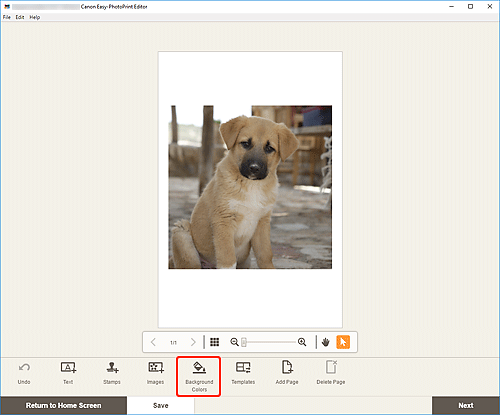
The Background Colors palette appears on the Sidebar of the Item edit screen.
-
In Background Colors palette, select color.
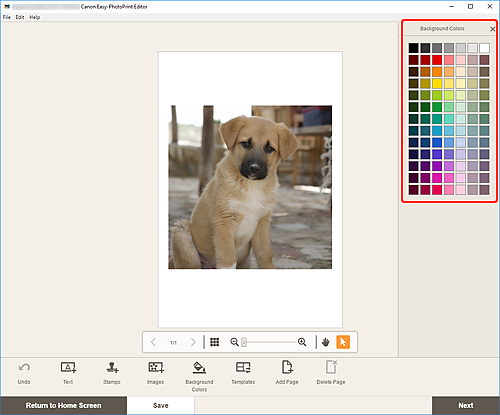
The selected background color is applied to the item.
