Duplex Printing
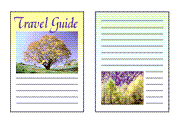
|

|

|
 Note
Note
- Depending on your printer model, 2-sided printing may not be available.
Printers that support 2-sided printing may support either or both of the following:- Manual 2-sided printing
- Automatic 2-sided printing
Setting 2-sided Printing
On the Page Setup tab, select 2-sided Printing under 1-sided/2-sided.
Select the layout
Select the layout you want to use from the Page Layout list.
Specify the side to be stapled
The best Binding Location is selected automatically from the Orientation and Page Layout settings. To change the setting, select another stapling side from the Binding Location list.
Click OK to start printing
For manual 2-sided printing, the front side of the page will print first. Click the Windows notification to view the on-screen instructions, then follow them to correctly reload the paper and print the reverse side.

