Maintenance Tab Description
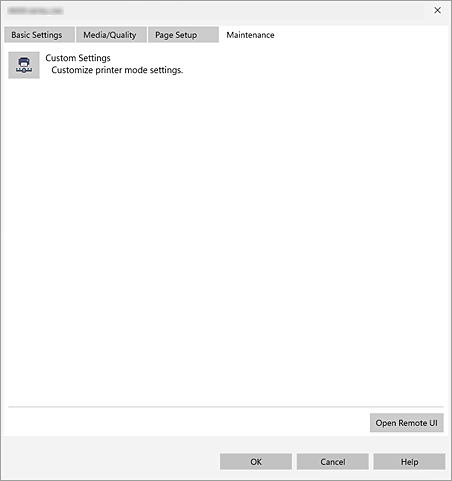
On the Maintenance tab, you can change printer settings or launch the Remote UI.
 Note
Note
- Depending on your printer model, Maintenance tab may not be displayed.
-
 Custom Settings
 -
Opens the Custom Settings dialog box.
Note
- If the printer is off or if communication between the printer and the computer is disabled, an error message may appear because the computer cannot collect the printer status.
If this happens, click OK to display the most recent settings specified on your computer.
- If the printer is off or if communication between the printer and the computer is disabled, an error message may appear because the computer cannot collect the printer status.
- Open Remote UI
- Menu for performing printer maintenance and changing settings.
Custom Settings dialog box
Detailed print operation settings can be configured.
- Do not detect mismatched paper settings when printing from a computer
- To prevent print errors, a warning message can be displayed when the paper settings in Canon Print Assistant do not match the settings on the printer itself. If you select Do not detect mismatched paper settings when printing from a computer, this detection function will be disabled. If you disable this function, make sure that the media type and paper size set on the printer match the settings in Canon Print Assistant.
