
Cableless setup
 Important
-
If you connect a device connected to the Internet via an access point to the printer that is in access point mode, the connection between the device and access point will be disabled. In that case, the connection of the device may switch to a mobile data connection automatically depending on your device. When you connect to the Internet using a mobile data connection, charges may apply depending on your contract.
- You cannot connect to an access point and the printer that is in access point mode at the same time. If you have an access point, it is recommended that you use the access point to connect to the printer.
(Appears in a new window)
-
Make sure that the screen below is displayed.
If another screen is displayed, press the Setup button (A) on the printer.

-
Press the Setup button.
-
Use the
 or
or  buttons (B) to select Wireless LAN setup, then press the OK button.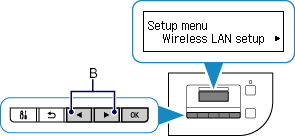
When the screen below appears, press the OK button, then the Stop button.

-
Select Other setup, then press the OK button.


-
Select Cableless setup, then press the OK button.


-
Return to the application screen and proceed with the setup.

Android
-
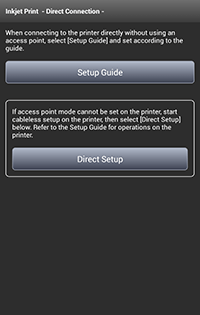
Tap Direct Setup in the application screen.
The printer and your device will be connected automatically.
iOS
-
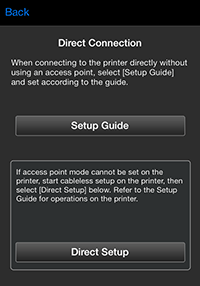
Tap Direct Setup in the application screen.
-
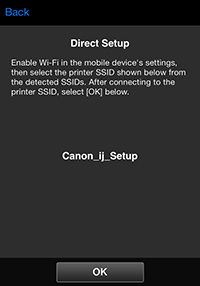
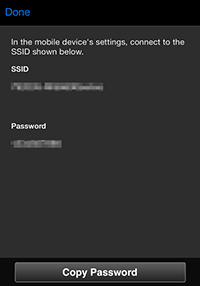
Check the network name (SSID) displayed in the application screen, then select the network name (SSID) in Wi-Fi settings on your device.
-
Tap OK.
-
Tap Copy Password to copy the password (network key).
-
In Wi-Fi settings on your device, paste the copied password (network key) to connect to the printer.
